Micromax Yureka Yu Heating Problem, Issues Solved, Fixed
I thought of writing this post after meeting one of my friend in college. Since the Amazon is launching the flash sale of the Micromax Yureka Yu Android Mobile Phone device, its very hard to even seen the device in physical world. I was also thinking of buying the same phone but due to Micromax Yureka Heating Problem, I changed my decision and went for other good android device like Asus Zenfone 5. The main reason behind changing my decision is heating issue of Micromax YU only.
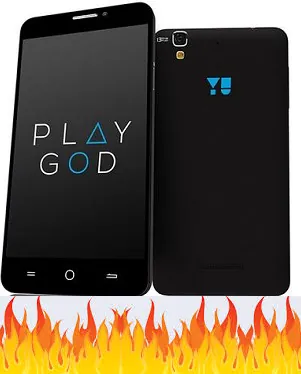
Since this Android device is having powerful specs like 1.5 GHz Octa Core CPU, Adreno 405 GPU at 550MHz, 4G support, 5.5 inch corning gorilla glass screen having the resolution of 1280 * 720, 2GB DDR3 RAM, 13 MP Rear Camera and 5 MP Front facing camera, 2500mAh battery and last but not the least Cynogen OS 11, it was expected to get heated but user can’t even hold the device because of the temperature.
Micromax Yureka Heating Problem Reason
Before buying, I researched for many long hours and found that Yureka Has the heating problem and sometimes, the temperature goes above 50 degree Celsius. Means the user can’t even hold the device in his hands. As I told you, Today, I met my friend who actually owns yureka device and he himself faced same issue of heating. He said that The battery life was of around 3 to 3:30 hours. And its a common problem. After contacting Amazon, Micromax, they said that they would replace the device but he denied to do that since he knows its a common problem and found the actual reason and solution. The real reason behind Micromax Yureka Heating Problem is media storage service. Its a software bug.
Click Here to Buy Yureka Case, Cover & Other Accessories at BEST Price
The Media Storage Service consumes lot of CPU usage directly causing more heating and temperature rise. Just go to settings -> battery and see the position of ‘Media Storage Service’. The position should be as low as possible. If the position of Media Storage Service is first or second which is below screen, then you must be facing the heating issue. I’ll also give the solution to Micromax Yureka Heating Issues ahead.
How To Fix Micromax Yureka Heating Problem, Solution

The solution of this android device may be frustrating for you. What you have to do is follow the steps given below.
- Go into the settings -> apps -> Media Storage Device.
- Force stop it.
- Clear the Cache
- Clear the data.
- Disable it.
- Restart the phone.
- Enable it
- Restart the phone If you are again seeing the heating problem then again go into the settings -> apps -> Media Storage Device. Force stop it. Clear the data, Clear the Cache -> Restart the phone. If issue appears again then again follow the steps given above. You’ve to do this till you stop facing heating problem. After applying this fix, my friend is getting the battery life of 1 and half day for Yu.
Along with stopping the Media Storage service, I also suggest you to stop the unwanted services and make the device more efficient in terms of performance and most importantly battery life. I hope, this trick will help you to solve the heating problems and issues of Micromax Yureka Yu permanently since, it helped my friend. This method was found after lot of research and hard work. If you find this useful then please share this so that other Yureka users can also solve their problem. Thank you for reading this post. See you in next one…